


Overview
Lychee is an unrestricted, open source, graceful and easy-to-use photo-management system, which comes with all the essential features required for securely managing and sharing photos on your server. It allows to easily manage (upload, move, rename, describe, delete or search) your photos in seconds from a simple web application.We will show you how a family on holiday can organize images from dad’s DSLR, mom’s iPhone and the kid’s Android phone inside one album. They can all use the same Lychee grain in Sandstorm from a web browser; There are at least a couple of different scenarios where you’d want to create a photo library and share it with others. Another example is when 3 people are writing a blog but only one editor approves images, so images need to be collected at a central point. I have found uploading and sharing via Google to be a bit hit and miss.
In any case where you need to create a shared photo library using Lychee, you can follow these steps:
1. Get Sandstorm by signing up for Oasis or installing it on your own machine.

2. Install Lychee from the App Market

3. In the next window that opens, click: INSTALL

4. Create a new grain
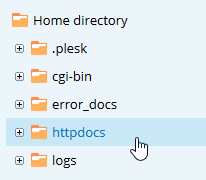
5. Rename your grain
6. Add an album
7. Name your album
8. Upload some images
9. Browse your album
10. Share access with your family
11. Invite family members
Lychee
Lychee is a web application. And we need a webspace with php and MySQL or an appropriate local web server. But Lychee is also a simple and very easy to use web-based photo-management software and comes with an attractive user interface. You can recognize that a graphic designer was involved. Actions are convoyed by inobtrusive animations.
Lychee looks like a mobile photo-management app on a tablet or smart phone. You can use it on mobile machines with your fingers as easy as on desktop or notebook computers with a mouse. If you take a look at the sharing capabilities you will be recalled to the photo folder of Dropbox.Hence Lychee is best to show and share photos and images to your friends or customers. They cannot even watch and share them on social networks they can also download the images if allowed.
Lychee-Homescreen – visitor view (Album “Photo” is password-protected)
Lychee is not
Lychee is not a classy photo-management software which can handle images in RAW-, PSD- or TIFF-format. In my opinion it cannot replace even simple photo tools as Picasa, Windows Photo Gallery or web-based Kokken.It is not very -well suited for presentation purposes because you can neither alter the look of Lychee nor change the order of images manually.
Requirements
To run Lychee you need a web-server with PHP 5.3 or higher and a MySQL database at a hoster or locally on your machine.For usage a normal web browser is enough. Your images have to be stored in JPEG-, PNG- or GIF-format.
Pros
Simple installation and setup
You do not have to edit text-based configuration files to setup the database connection. Self-explanatory forms asked for the necessary data. The setup is done in a couple minutes.
Modern easy-to-use and beautiful user-interface
Lychee has a plain but professional designed user-interface similar to photo management tools on tablets and smart phones.
The interface supports context menus for renaming, deleting, etc. in the general views. On mobile platforms you have to do this tasks in the single image view.
Data in your hands
You store your images on your webspace or server and you have not rely on perhaps foreign services as Dropbox with different privacy laws.
Mobile
The interface is responsive and fits to all screen sizes. You can use Lychee on a tablet or phone with taps and swipes.
Sharing in social networks
You can share single images or whole albums at facebook, twitter or via e-Mail.
Share photos
User-Groups
There two kinds of users. The administrators and the visitors.
The admins can log-in with a password and can import, move, delete, mark, tag or organize images. Visitors can just watch, share or download (if allowed) images and photos.
Photo-Management
You can organize images in albums. Unfortunately it is not possible to stack albums
It is easy to make albums visible for visitors or mark as private just for your eyes. You can give visitor the permission for downloading and you can protect albums with a password. Only visitors who know the password can see the images of the appropriate album.
Albums can be marked as visible for visitors, downloadable or password-protected
A general password protection for all albums is not implemented.
Smart Albums
Just for admins there are 4 smart albums available which fill-up with images automatically: UNSORTED: not organized in albums, STARRED: marked with a star, PUBLIC: public single images but not images of a public album, RECENT: last imported images.
Search function
Lychee has a text-based search-function implemented. Admins and visitors can search in titles, descriptions and tags.
Starred
Only admins can mark images with a star but they cannot rate them with more than one star. This function is available in the overviews via context menu or in the single image view via button on the top of the screen.
EXIF and IPTC
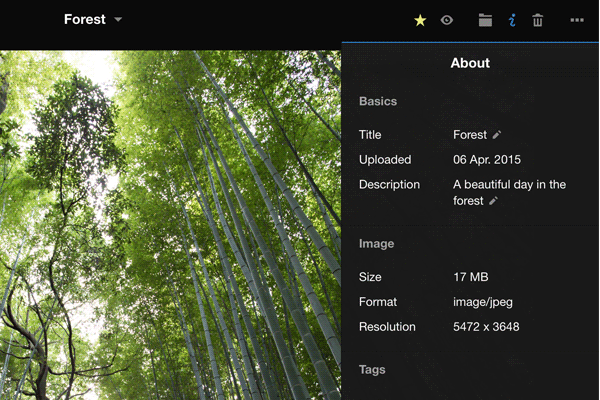
Both Metaformats can be displayed by admins and visitors. Admins can edit title, description and tags.
Supported meta information:
EXIF: Capture date, brand, type/model, shutter speed, aperture, focal length, ISO
IPTC: title, upload date, description, file size, format, resolution, tags
Import
You have various possibilities to import images: You can upload photos from your local disc or import single images via arbitrary URL.
Import menu
More interesting, you are able to import images from your Dropbox.
But the most astonishing feature is to move images from any directory on your webspace to Lychee. That makes migration from another gallery easy. But you need to organizes the images in albums manually after.
Export
Visitors and admins can download single images or whole albums (zip-archived).
Furthermore, single photos or images can be uploaded to your Dropbox. This can be done by visitors and admins.
Open-Source and free
Lychee is open-source and is provided under the free MIT-license. Free means here freedom and free of charge.
Cons
Not multilingual
Lychee 2.7 is available in English language only.
No manual order
It is not possible to change the order of the images manually. But an automatic order by upload- oder capture date, title, description, public image, starred image or image format can be performed.
No batch jobs
Regrettably, you cannot move, delete, tag more than one image at a time. You have to do it image by image. A big disadvantage.Visitors cannot mark photos with a star to download starred images together. They have to download image by image or the whole album.
Description and meta information cannot displayed permanently
To display meta information you have to tap or click the info button in the single image view. After a image changed the info disappears.
Embedded tags will not imported
Tags embedded in the image file will not imported, title and description will.
Only web-upload
It is not possible to upload images via FTP.
As a workaround you can upload the images in an arbitrary folder on your webspace and use the “Import from Server” function to move the images to Lychee.
No skins
You cannot change the view of Lychee to personalize it. Of course you can edit the CSS files of Lychee.
No GPS support
Photos with GPS information cannot displayed on a map
Most missing features
- No manual order of images
- No batch jobs to organize or delete images
- Visitors cannot mark images for a later common download.
- Embedded IPTC-Tags will not be imported
Lychee is a very stable-running, very well-designed web applications for a simple image management. JPEG, PNG and GIF files are supported. You need a local or hosted webserver with PHP and MySQL. Lychee runs in a normal web browsers and is therefore platform-independent. It runs very well on mobile devices as tablets and smart phones as well as on desktop and notebook computers. It has an exceptional features as Dropbox im- and export and web server import.Lychee is open-source and stands under the free MIT-license.You can compare Lychee with photo organizing tools on tablets and smart phones. Furthermore it has similar features as Dropbox’s picture folder.Lychee is well-suited for providing images and photos on the web for viewing and downloading to friends.
Lychee is the perfect place to store all your photos. No storage limit, no compression, no loss in data. We even support and display your EXIF and IPTC Metadata. And if you want, you can make your photos public for your audience. With just one click.
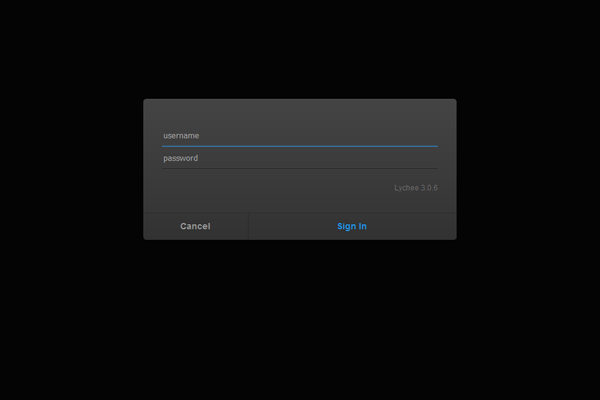
Sign In
Upload
About
Upload
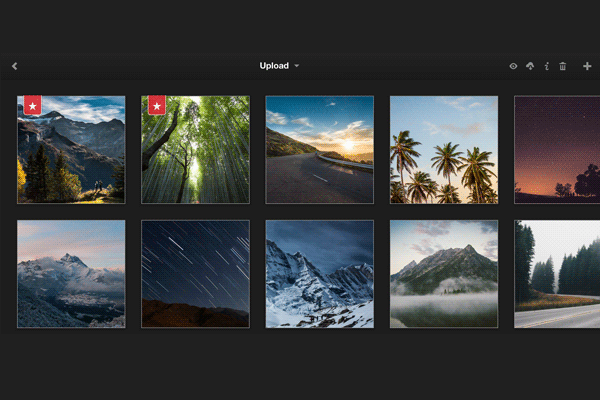
Import
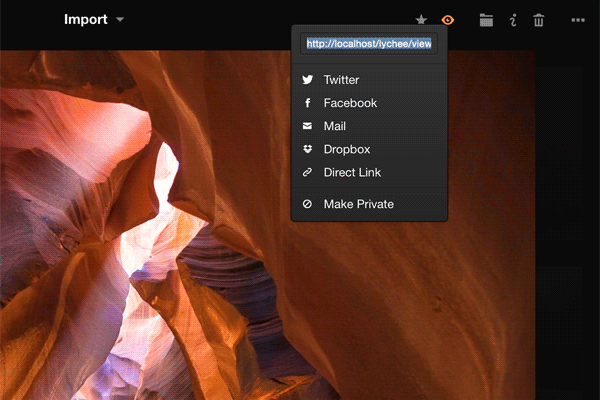
Lychee is released under the MIT License.
Features
/wp-content/uploads/sites/33/2016/04/5-68.png
The Major Features Of Lychee
Manage
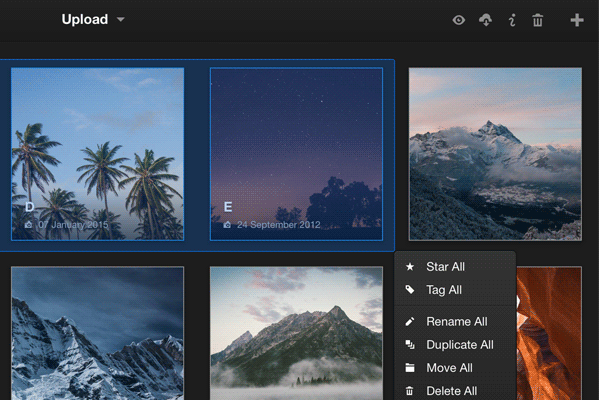
Managing your photos has never been easier. Upload, move, rename, describe, delete or search your photos in seconds. All in one place, right from your browser.
Share
Sharing like it should be. One click and every photo and album is ready for the public. You can also protect albums with passwords if you want. It’s under your control.
View
Look at all your images in full-screen mode, navigate forward and backward by using your keyboard or let others enjoy your photos by making them public.
Open
Lychee is completely open-source. Everyone can take advantage of the work we have already done and improve it. We are open for every suggestion or help.
Secure
Your server, your data, your rules. Never depend on someone else. Lychee is a self-hosted solution, so you are in the full control of your photos.
Beautiful
Our goal was to create a web app everyone can use. Lychee works intuitive and comes with a stunning, beautiful interface.
EXIF
Get the most out of our photos. Lychee supports EXIF and IPTC Metadata. Always available one click away. Clearly listed next to all other information.
Import
Import your photos from various sources. From you local computer, server, via URL or even from your Dropbox.
Tag
Never lose one of your photos in the depth of your albums. Tag them or mark them as important. Every single photo or all selected photos at once.

