
To Connect SQL Server:
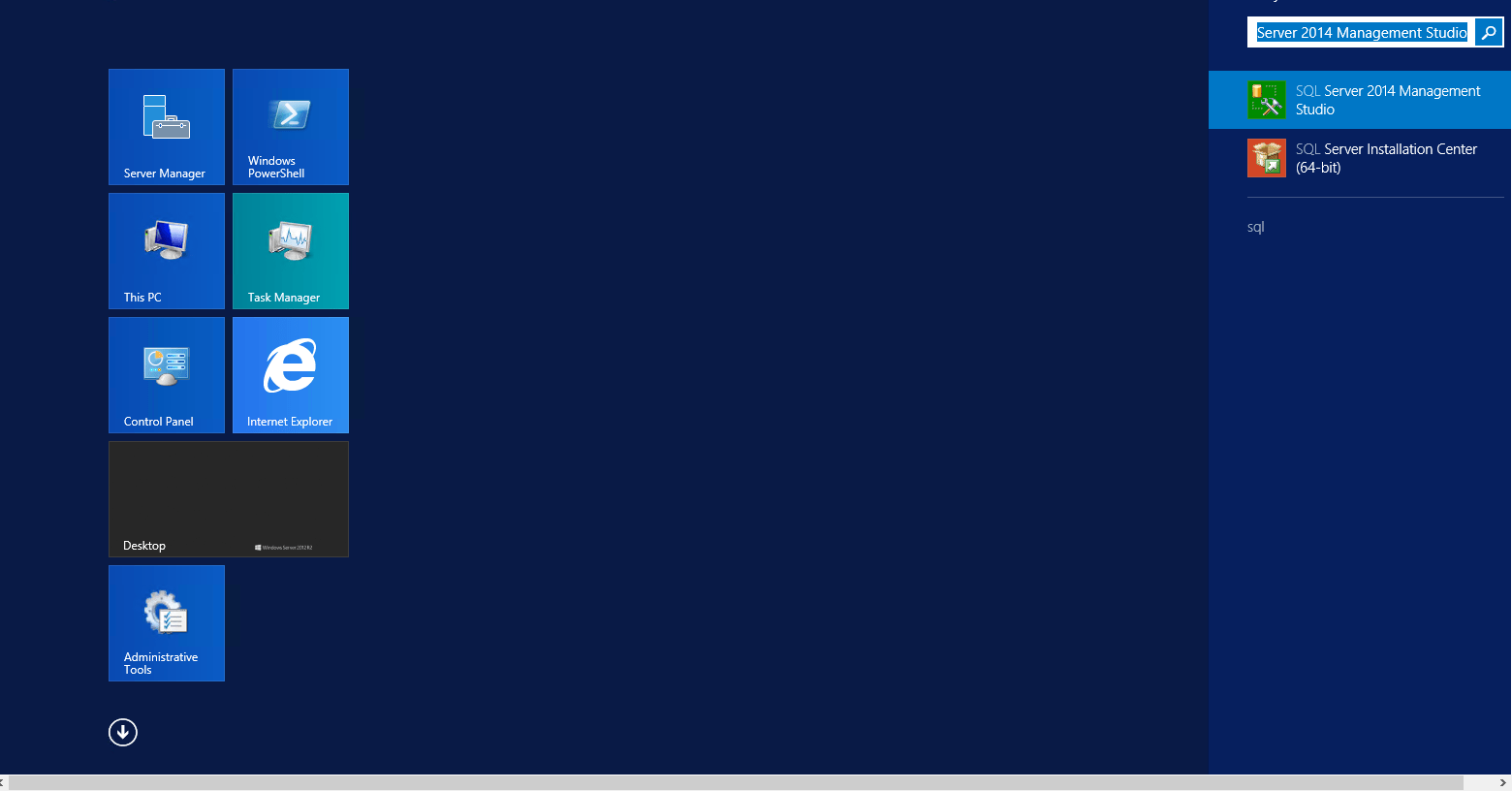
Step 1) On the Start page, type SQL Server Management Studio and then click Microsoft SQL Server Management Studio.
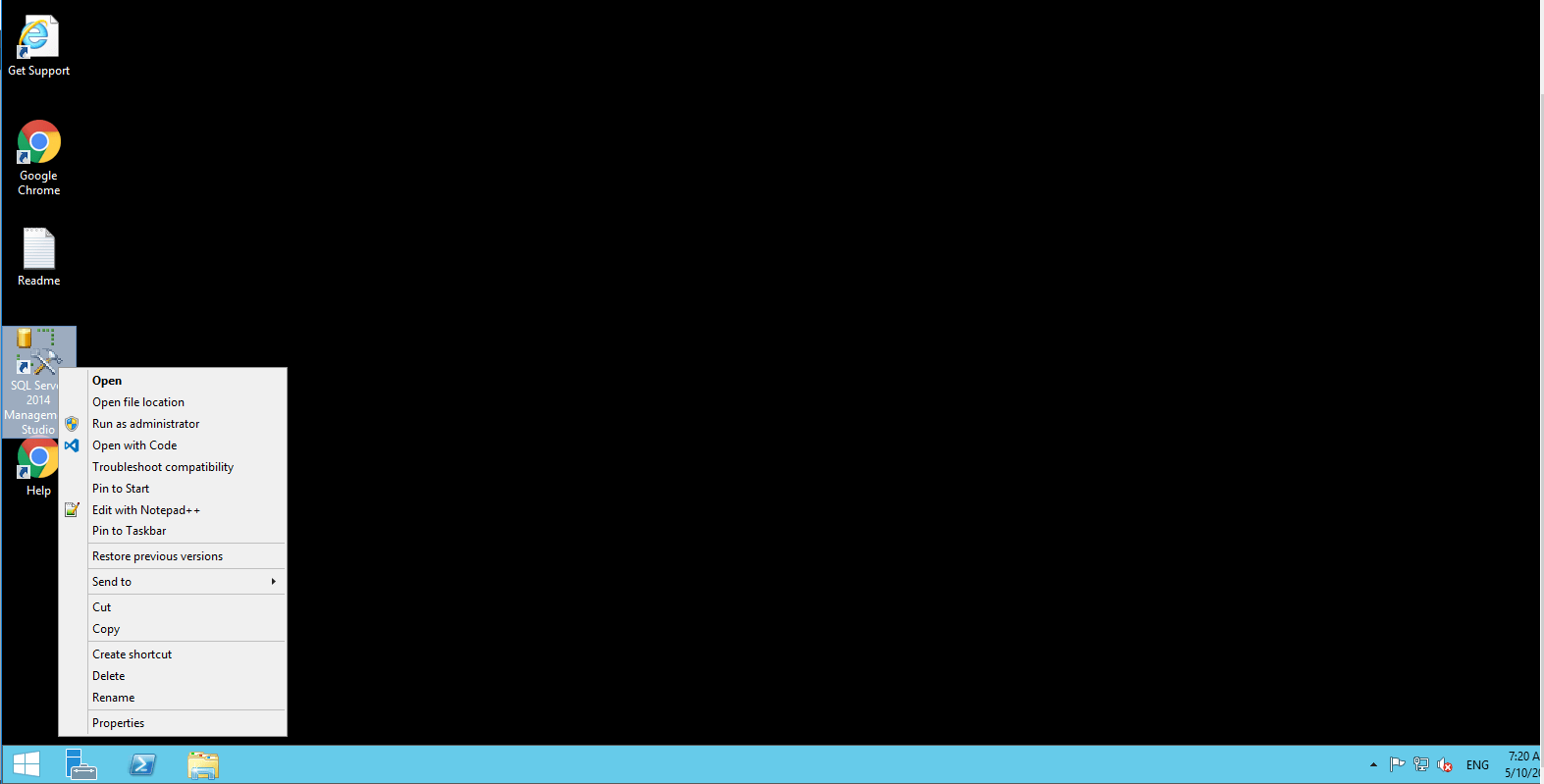
OR Open from the Desktop Shortcut icon Microsoft SQL Server Management Studio.
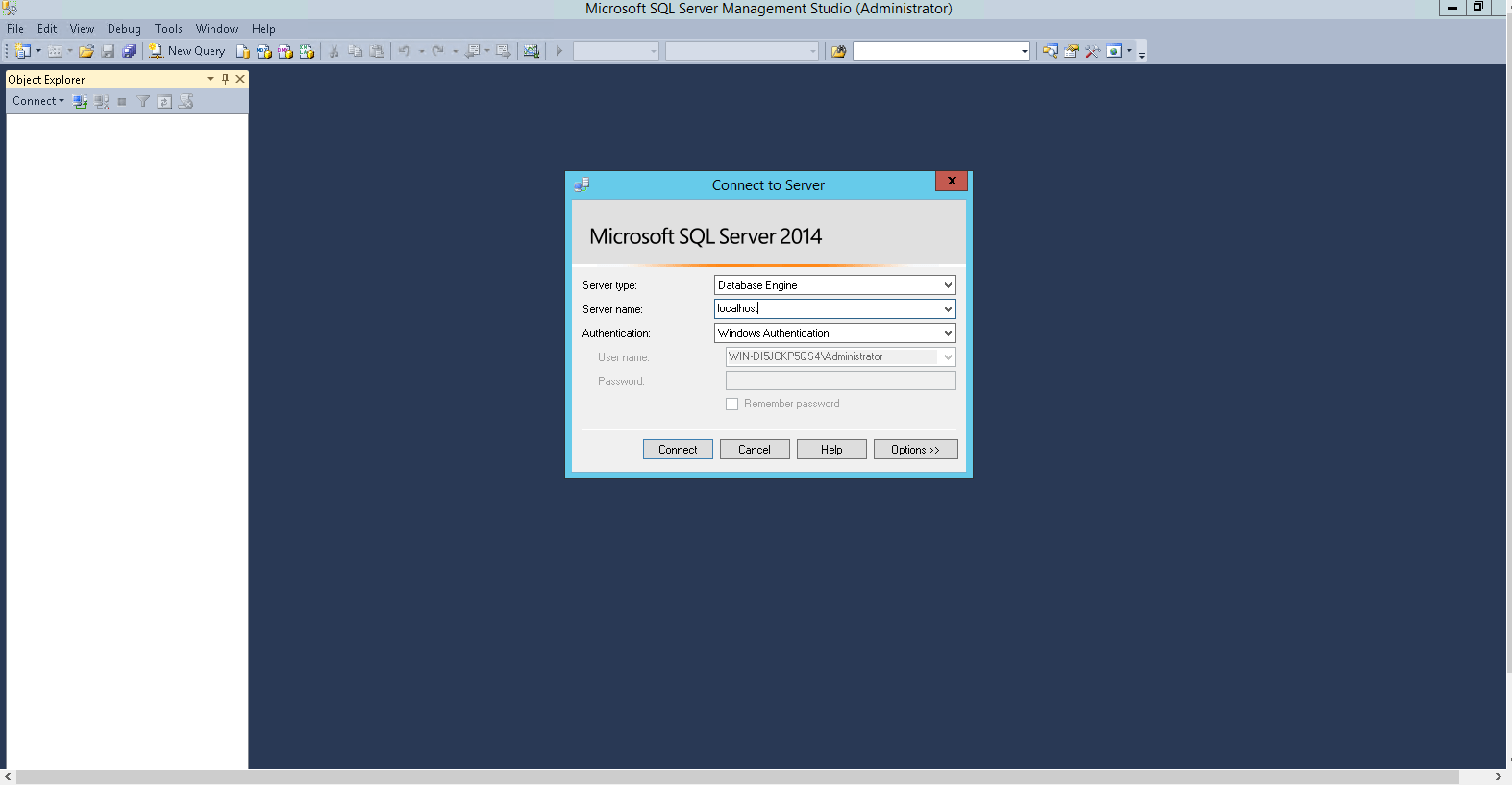
Step 2) Select Database Engine.

Step 3) Windows Authentication login
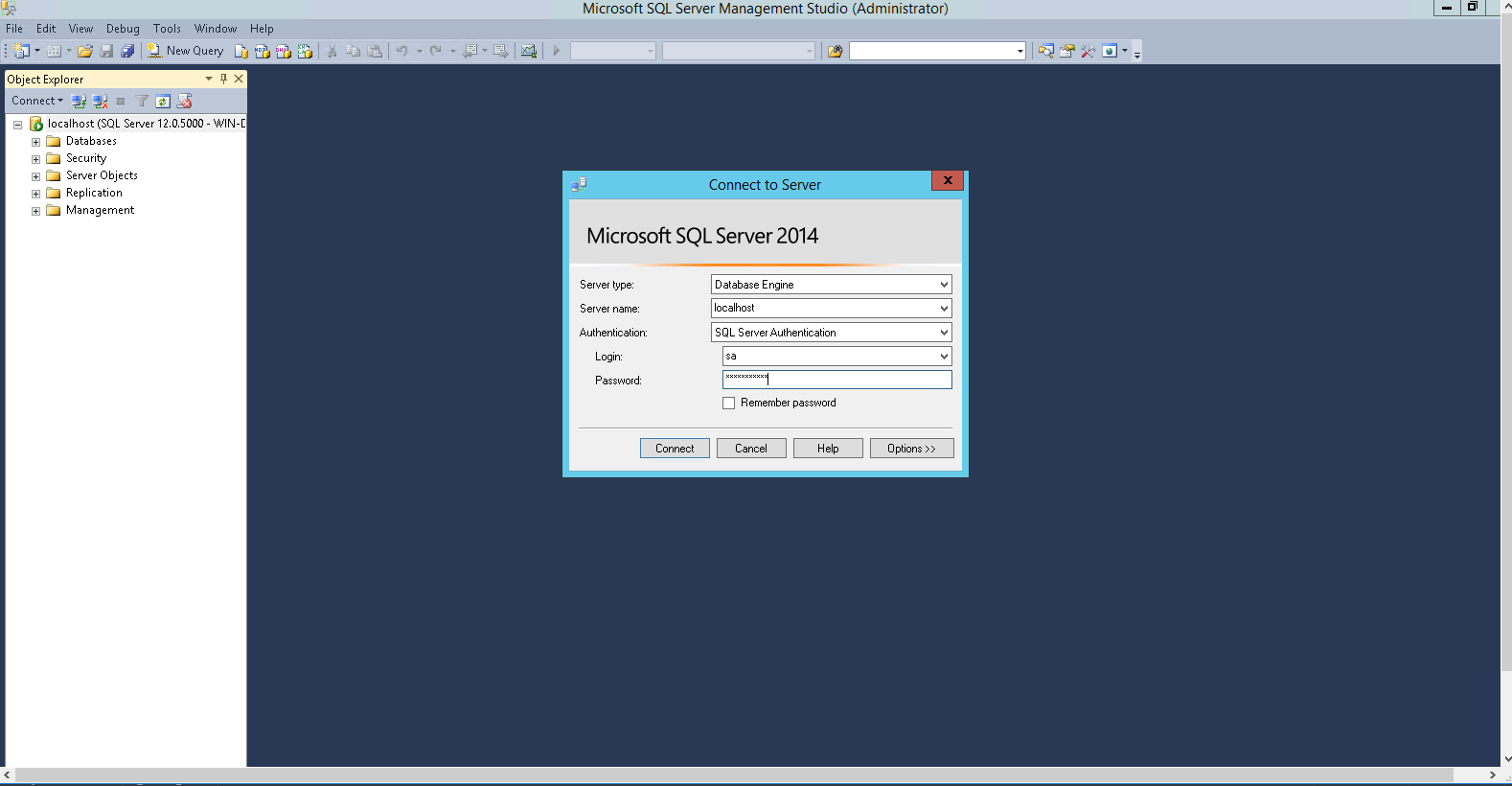
Step 4) SQL server Authentication Login
You can Login by SQL Database credentials
Default SQL UserName : sa
Step 5) For Creation of new Database Right Click on New Database
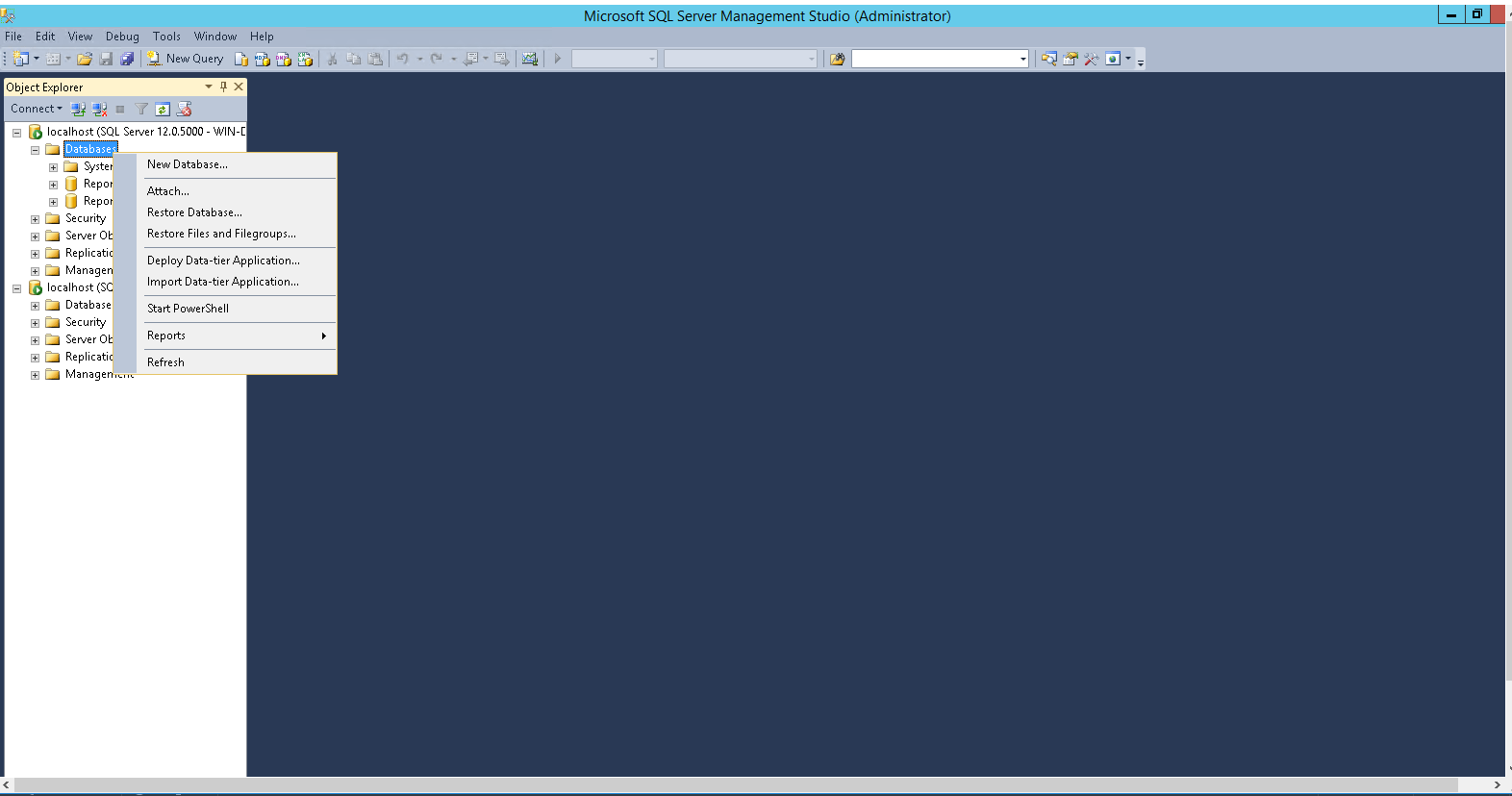
Step 7) Create New Database
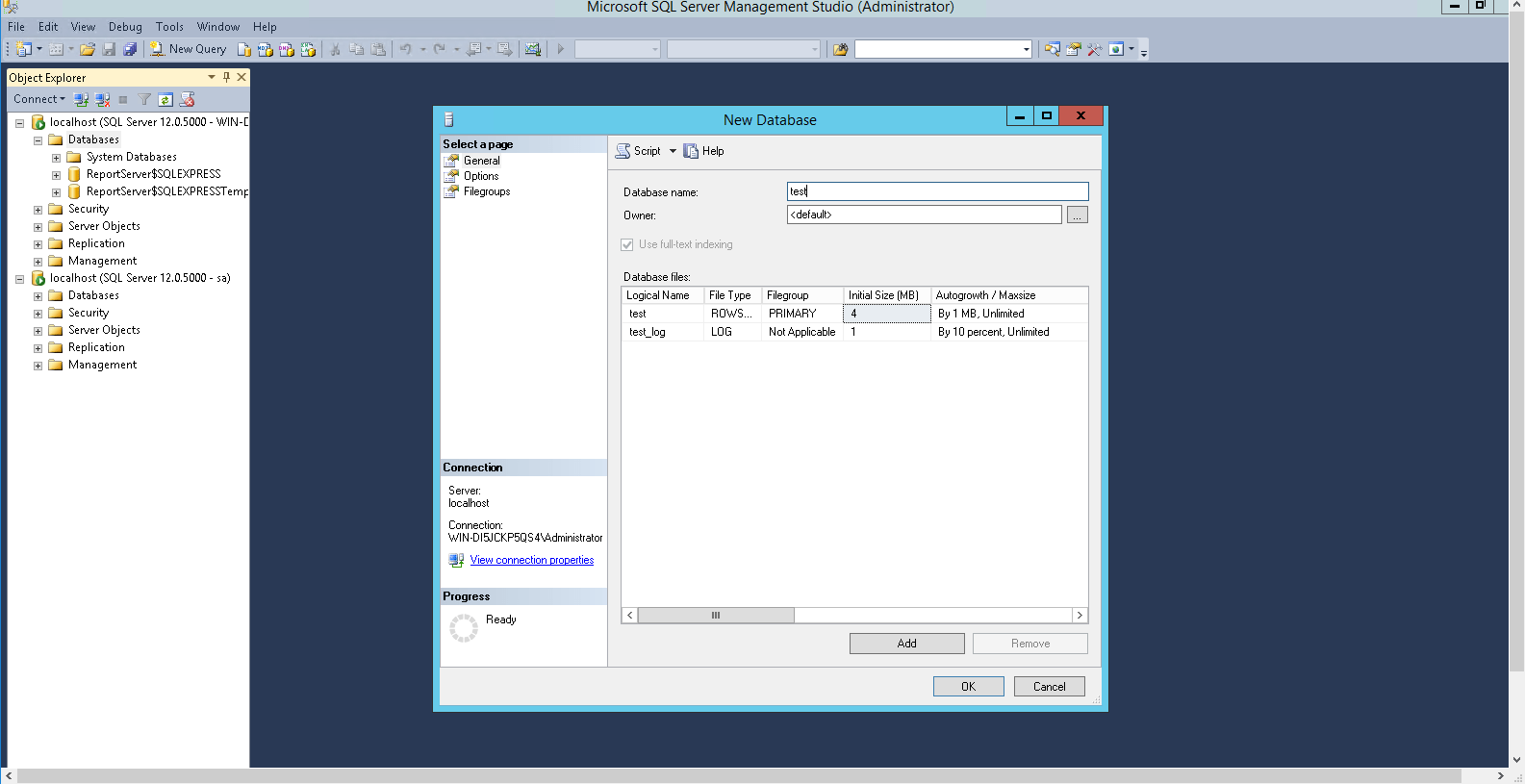
How to connect SQL Server